SteelNote press kit
In one line
SteelNote is a notes app for iPhone, iPad and Mac. Every note is a plain Markdown file on your device, synced through your own iCloud, openable in the Files app or any text editor.
Everything here is free to use, quote and republish. Need something that is not on this page? Email me and you will have it the same day.
Why I built it
On 28 April 2026, Tiago Forte posted asking for a dead simple notes app based on Markdown files. Obsidian was too complicated for him; he wanted Apple Notes with Markdown storage. The thread got 741 replies and none of them worked for me either.
I had been annoyed by the same thing for years without being able to name it. I started building the following week. I am Claude Bezeaud, I work alone in France, and I wrote all of it.
Fast facts
| Name | SteelNote |
|---|---|
| Developer | Claude Bezeaud, independent developer, France |
| Platforms | iPhone, iPad and Mac. Universal purchase. |
| Version | 1.0 |
| Price | Free to download. 14 day free trial, then 29.99 EUR per year or 89.99 EUR once for lifetime. Sync is included in every plan. |
| Languages | English, French, German, Spanish, Italian, Brazilian Portuguese |
| File format | Plain Markdown, .md, stored on the device and synced
through the user's own iCloud (CloudKit) |
| Accounts | None. No sign-up, no server, no tracking. |
| App Store | apps.apple.com/app/steelnote/id6765892871 |
| Website | steelnoteapp.com |
| Contact | contact@steelnoteapp.com |
Copy you can lift
Third person on purpose, so you can paste it as is.
A paragraph
.md file on the user's device, synced through their own iCloud and openable
in the Files app or any text editor. No account, no server. It indexes locally for full text search and imports
from Bear, Notion, Obsidian, Evernote and Apple Notes. Written by one independent
developer.
Boilerplate
Five things that might be worth a paragraph
There is no export button
Nothing to convert: the file on disk is the note. Write something on your iPhone, open
the Files app on the same phone, and the .md file is there under On My
iPhone, a few hundred bytes, readable by anything. Leaving means copying a folder.
Apple now declares Markdown system wide as
net.daringfireball.markdown, so this is no longer a niche position.
Shortcuts, Siri and Spotlight
Notes are App Intents entities backed by a local SQLite index, so Shortcuts, Siri and Spotlight address them directly. No companion app, no URL scheme. Shipped actions: Create Note, Open Note, Search Notes, Get Note Content, Add to Note, Add to Today and Open Today. Three more are Controls rather than actions, for Control Centre, the Lock Screen and the Action Button: Scan, Daily Note and Search.
Two do the real work. Get Note Content hands a note's text to any other shortcut, and Add to Today appends a line without opening the app.
Private notes stay out of Apple Intelligence
Privacy is enforced in the data layer, not the interface. A private note stays out of
widgets and out of the Transferable representation that bridges to Apple
Intelligence, so its text is never handed over. The check fails closed: if the flag
cannot be read, the note is withheld. I would rather show too little than leak something
someone marked. It is still a plain file, though: like any file on the device, it can
turn up by name in system search.
What it imports
Bear, Notion, Obsidian, Evernote and Apple Notes, plus Markdown, TextBundle, Word, RTF, PDF and CSV. Folder structure survives. This was the dullest part of the whole project to write and it is the part that decides whether anyone can actually leave their old app.
Sync is included, in every plan
Sync runs on the user's own iCloud, which costs me nothing to provide, so it is included everywhere including during the trial. Charging a subscription for access to someone's own notes is a decision, and I did not want to make it.
Screenshots
iPhone, 1290 by 2796. Click any image for the full resolution file. Free to use with credit to SteelNote.
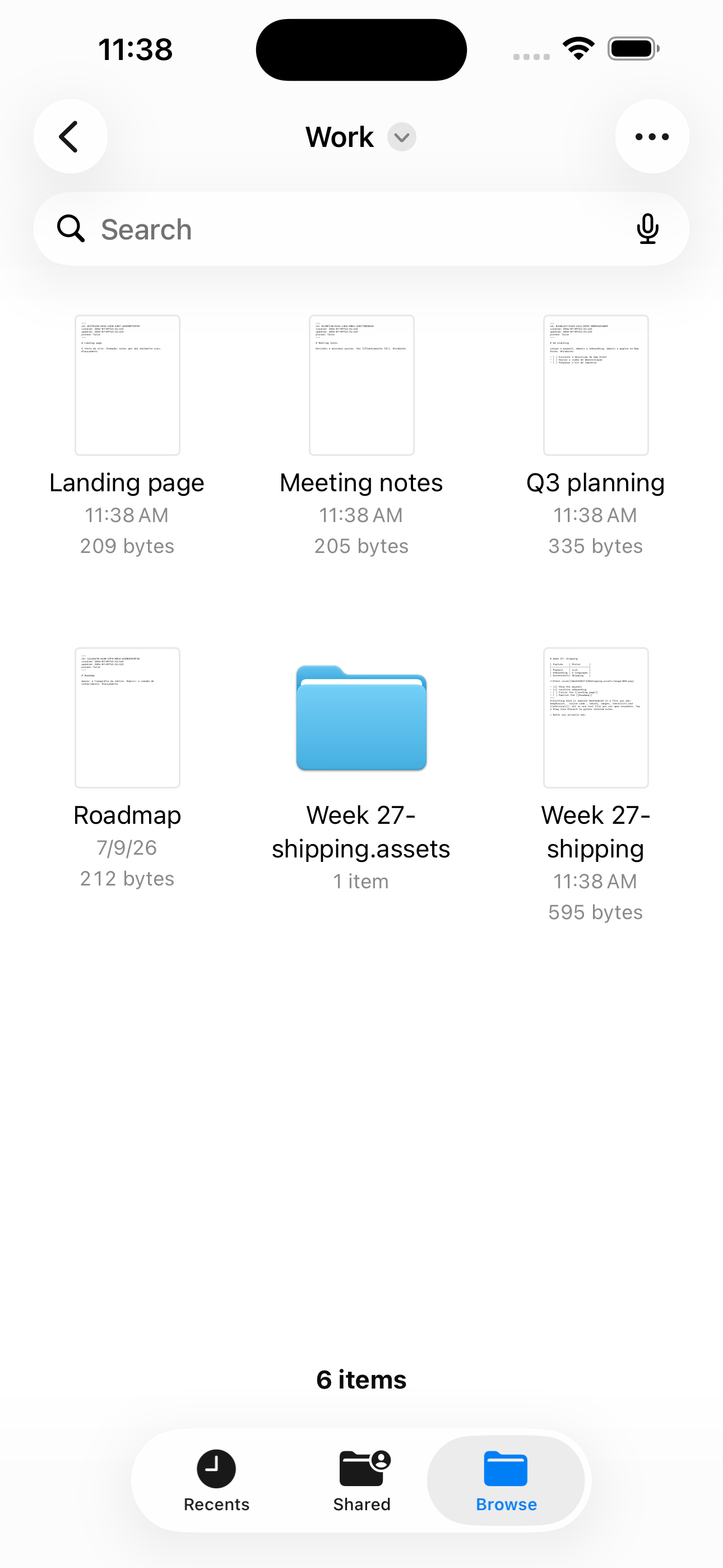 The proof. The Files app on the same iPhone: every note is
its own file, a few hundred bytes each.
The proof. The Files app on the same iPhone: every note is
its own file, a few hundred bytes each.
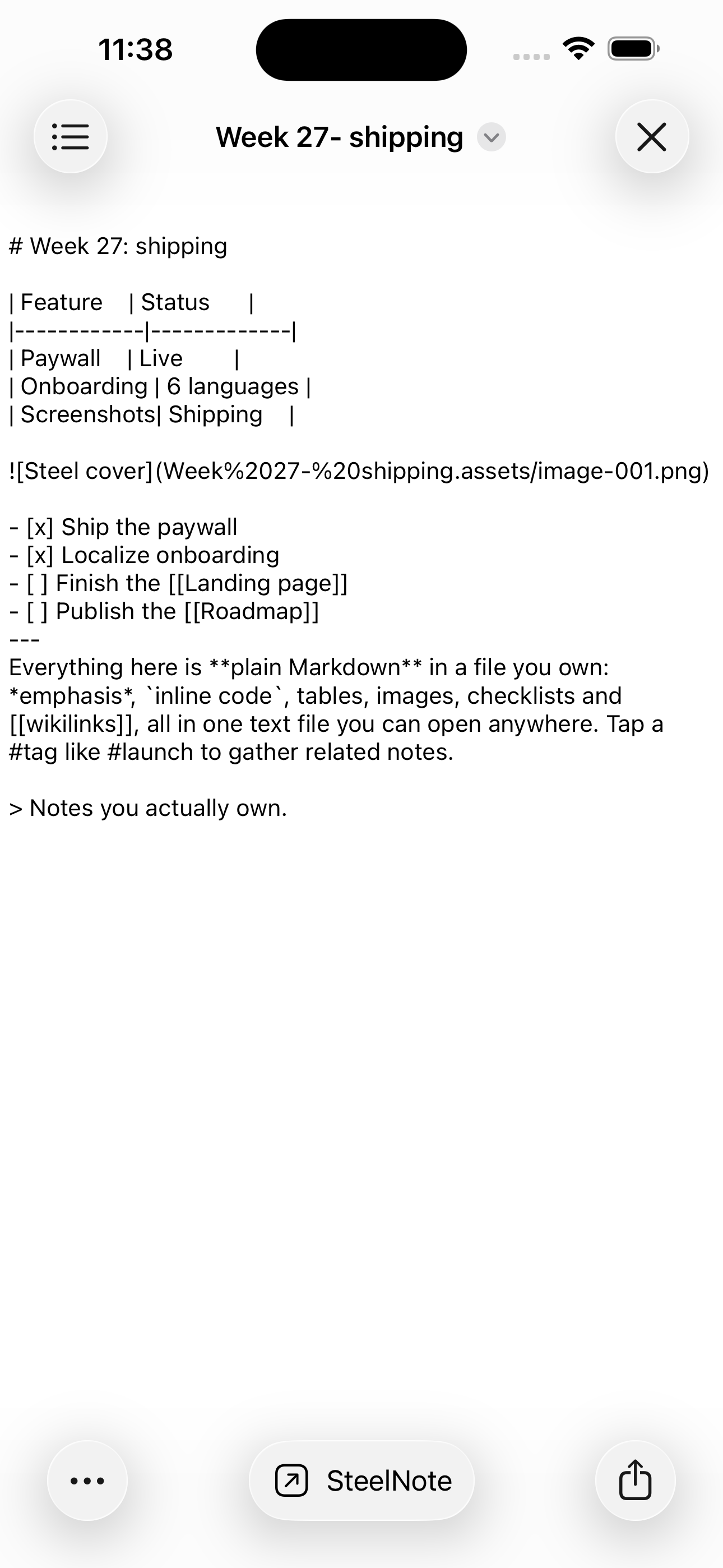 The same note opened outside the app: ordinary Markdown, readable by anything.
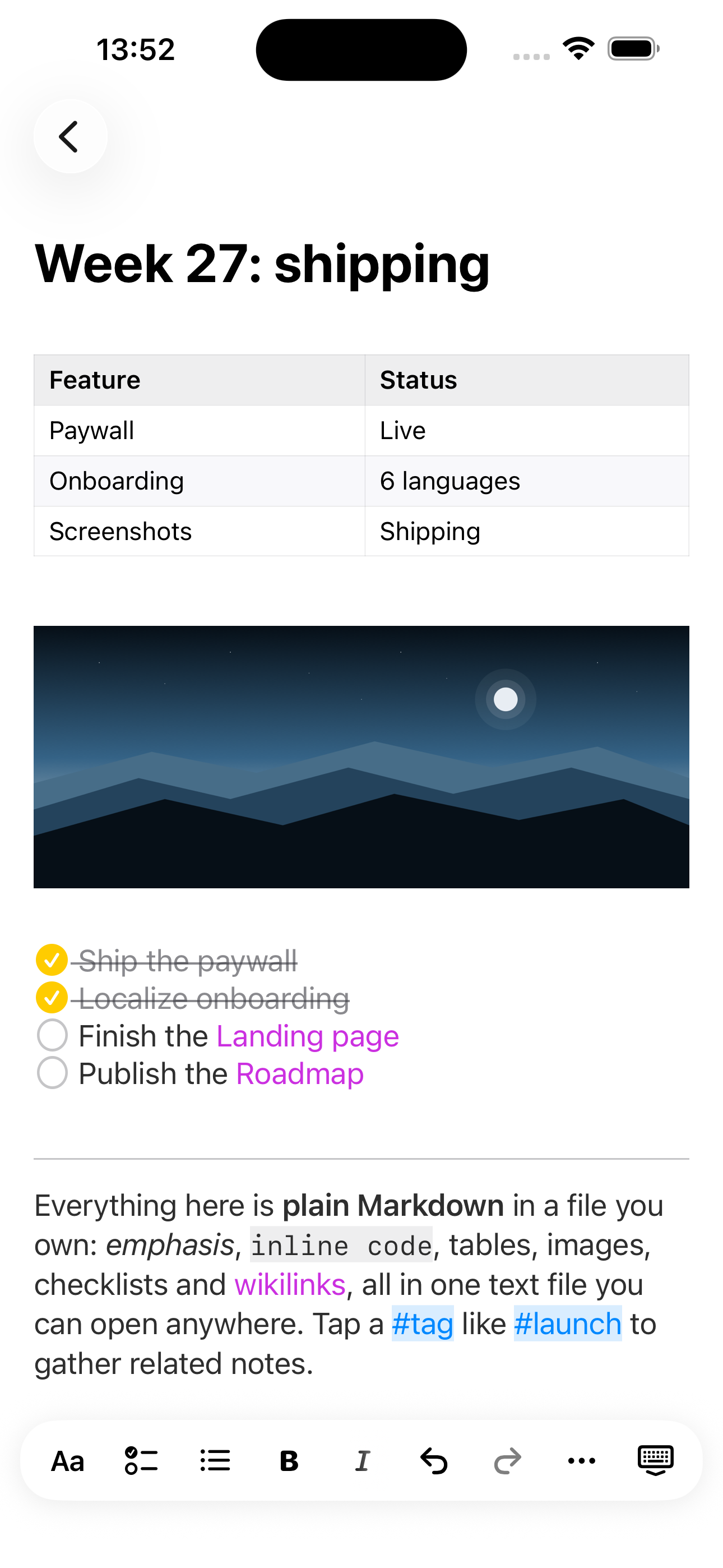 One note: table, image, checklist, wiki links and tags. All of it plain text on disk.
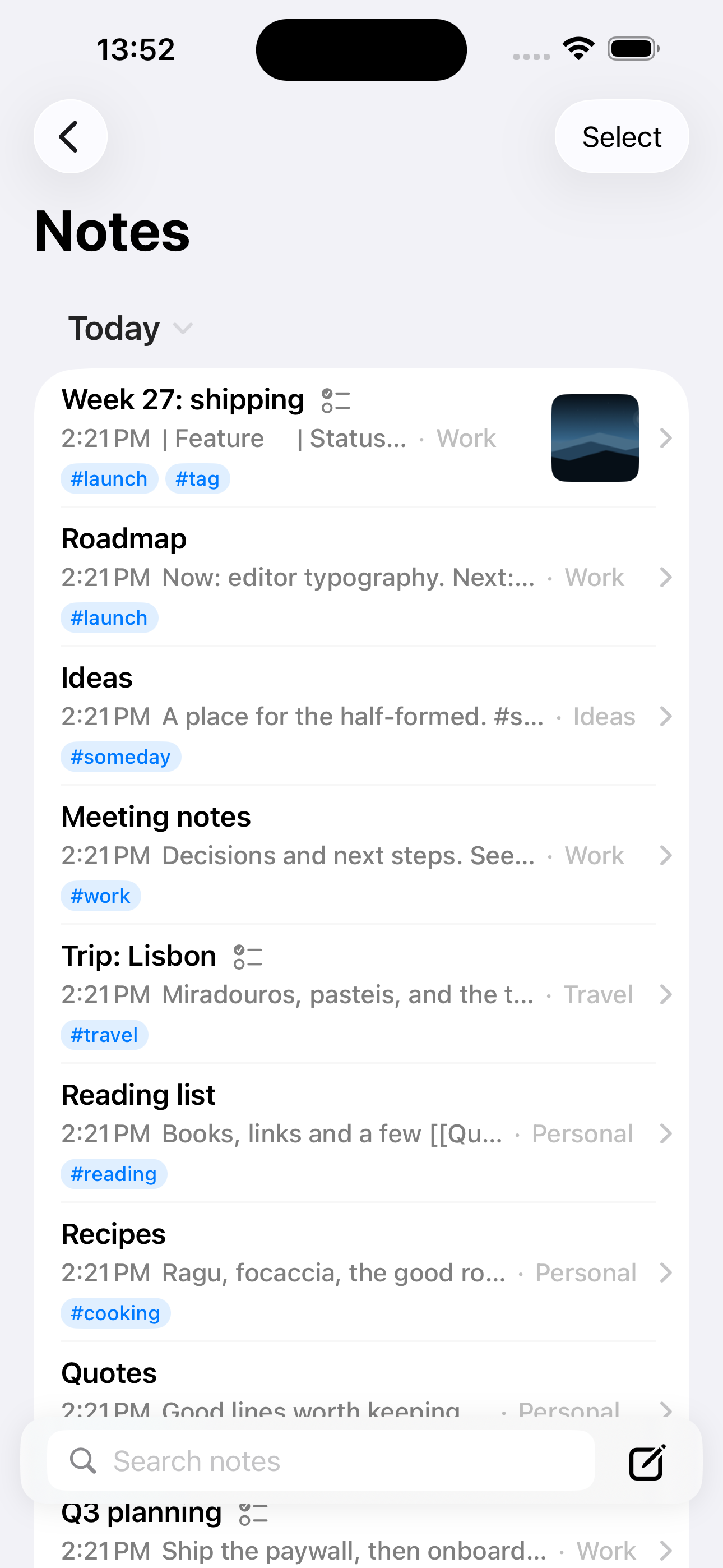 The notes list, with folders, tags and previews.
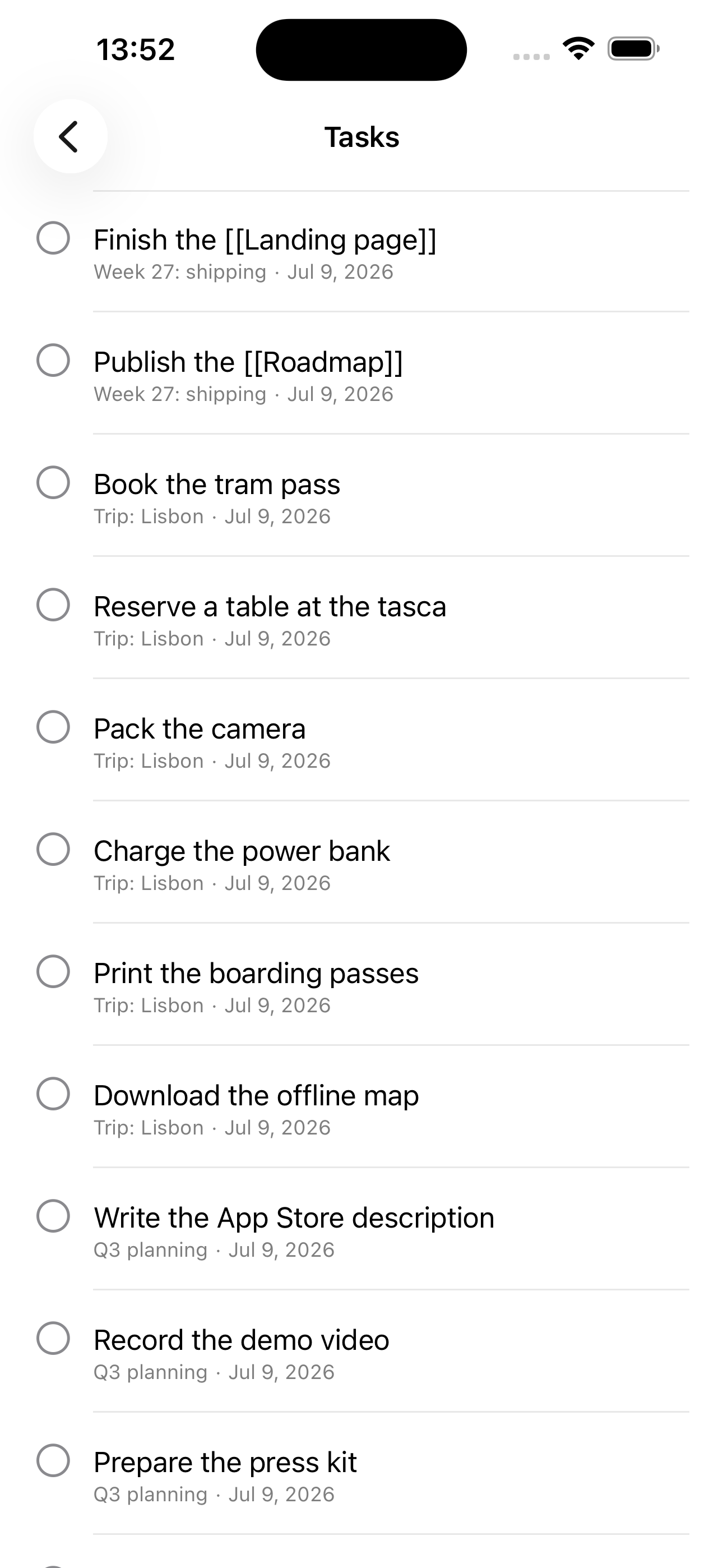 Any line in any note can become a task. They gather in one list.
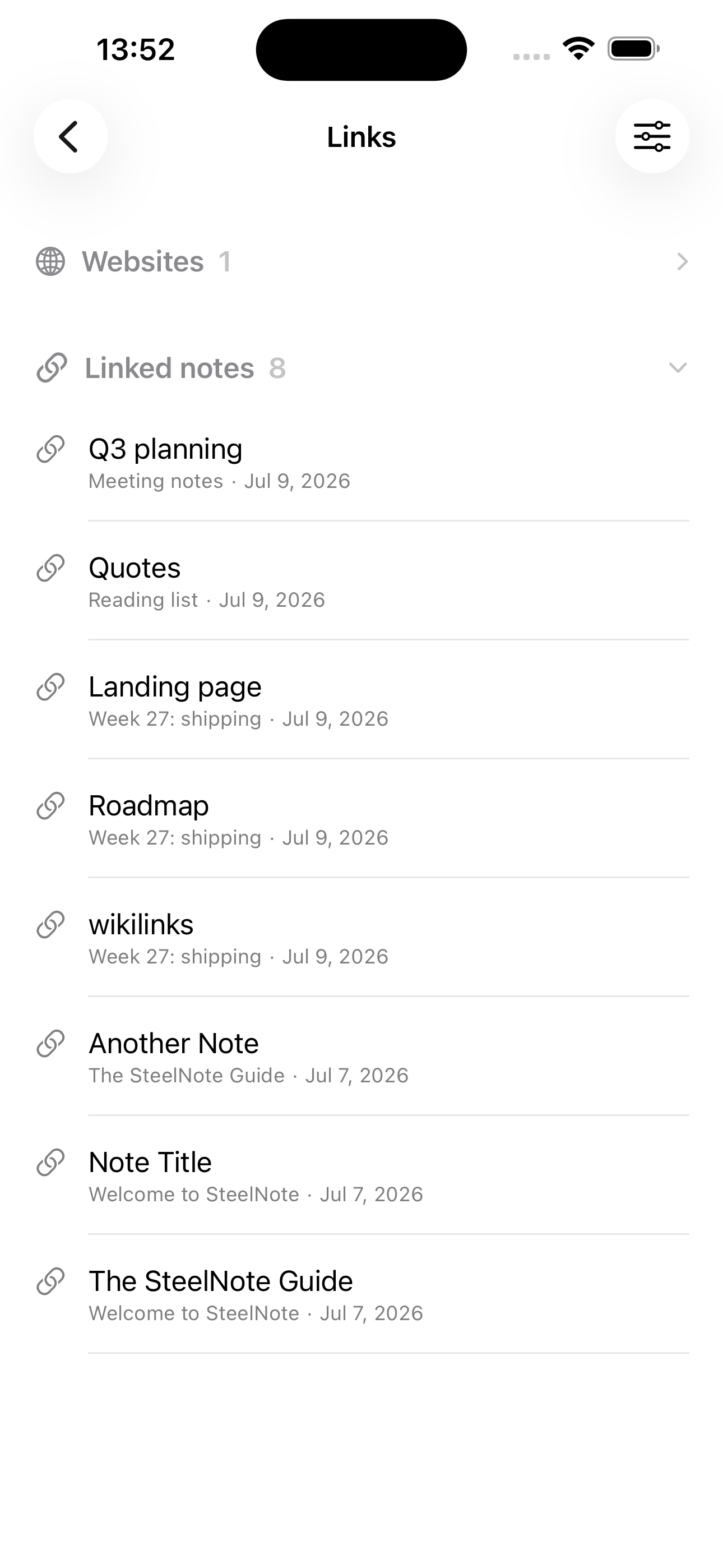 Wiki links and backlinks, built from the files themselves.
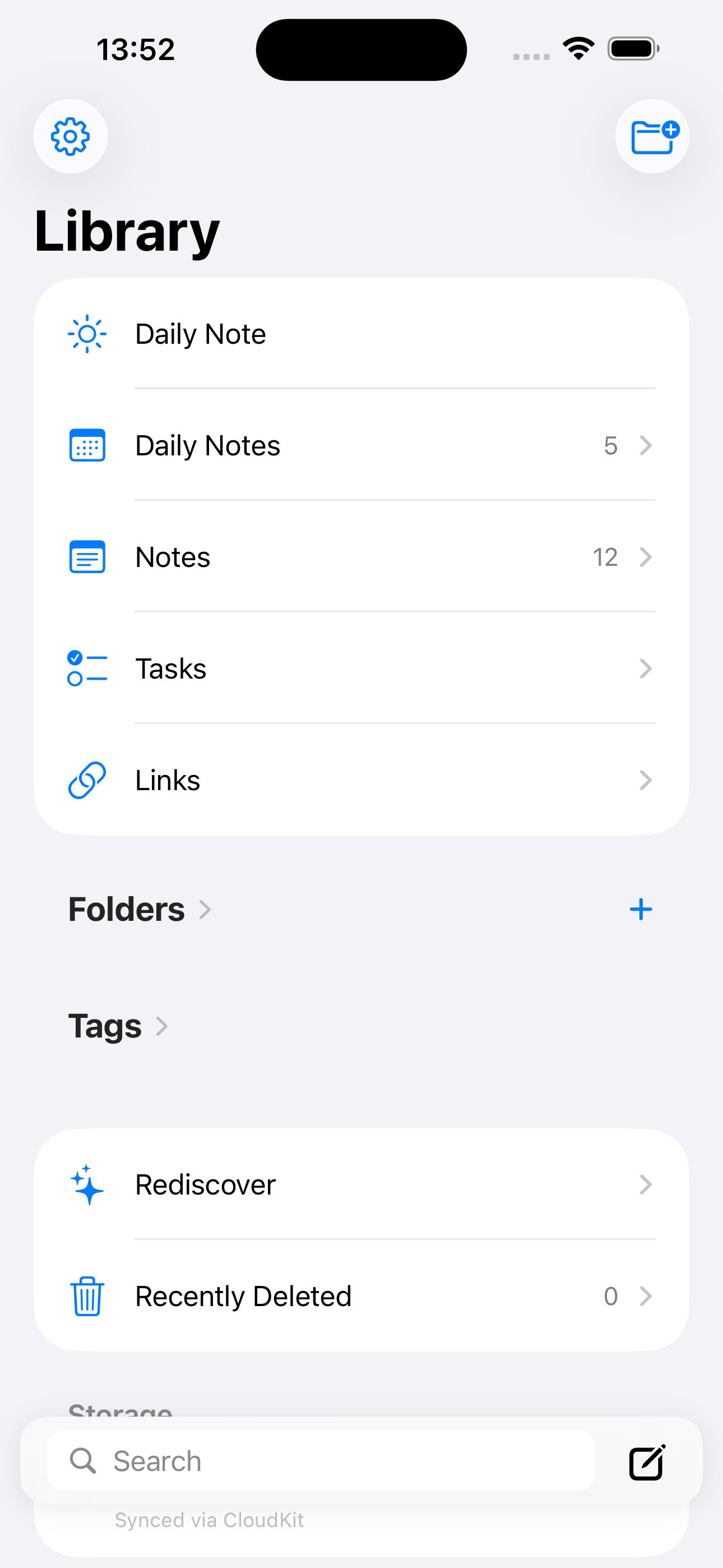 The library: daily notes, tasks, links, folders and tags.
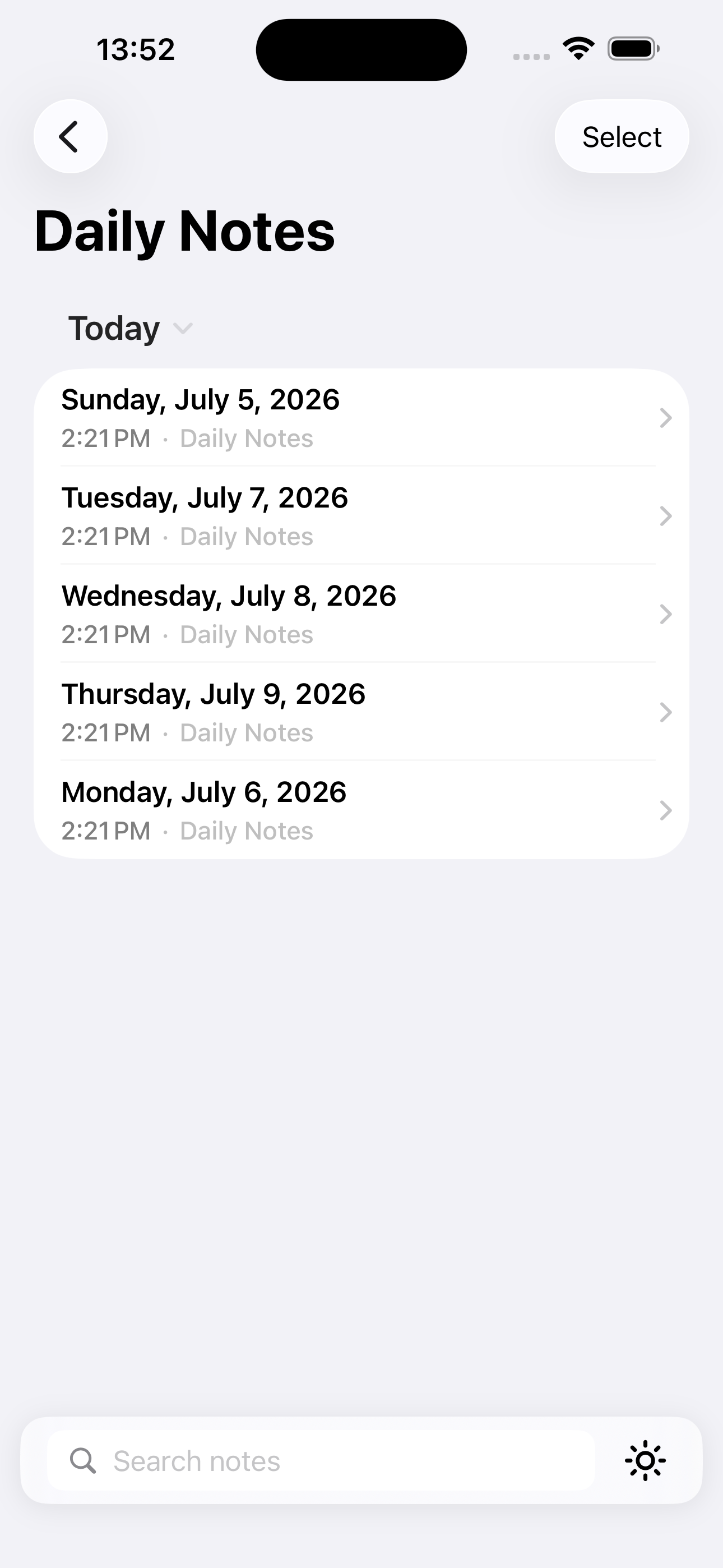 A daily note per day, each one an ordinary dated file.
iPad and Mac screenshots are available on request.
App icon
 Light
Light
 Dark
Dark
 Tinted
What it does not do yet
You would find these out anyway:
- It cannot point at an existing folder or vault. SteelNote keeps its own directory, and importing an Obsidian vault copies it rather than opening it in place. On the roadmap, after 1.0, because it touches people's files and should not ship early.
- No web or Android version, and none planned. The files are portable even though the app is not.
- No collaboration or shared notes. One person's library, on that person's devices.
Review access
Email contact@steelnoteapp.com for a lifetime code, so nothing expires while you are still writing. Happy to go into detail on how the sync, the index or the intents work, including where they are weak.
Credit
Please credit screenshots and the icon to SteelNote. The name is written as one word with a capital S and a capital N.